
Table of Contents
- Introduction
- Quick Answer: What's the Best Software to Use to Create Custom Stickers?
- Canva Is The Easiest Sticker Design Software For Beginners
- Illustrator Is Best For Professional Sticker Files
- Procreate Is Best For Hand-Drawn Stickers
- Photoshop Is Best For Photo-Based Stickers
- Inkscape Is The Best Free Vector Software
- Affinity Designer Is A Good Middle Ground
- What File Should You Export?
- What If You Do Not Have Sticker Design Software?
- Best Software By Sticker Type
- Ready To Print Your Sticker Design?
- Conclusion
- FAQs
What's the best software to use to create custom stickers? Use Canva if you want the easiest start, Adobe Illustrator if you want professional vector control, Procreate if you draw by hand, Photoshop if your design is photo-based, and Inkscape if you want a free vector option.
You do not need perfect design software to order good stickers. You need clear artwork, enough resolution, readable text, and a printer that sends a proof before production.
This post helps people asking “What's the best software to use to create custom stickers?” choose the right design tool by comparing beginner, artist, professional, and free options, so they can make cleaner sticker files with less stress.
Introduction
What's the best software to use to create custom stickers? The answer depends on the kind of sticker you want to make. A simple logo sticker, a hand-drawn character sticker, a product label, and a full sticker sheet all need slightly different tools.
The good news is that you do not need to be a professional designer before ordering custom stickers. You just need software that helps you create clean artwork and export a high-quality file. The proofing step can handle a lot of the production details, especially if you order from a sticker printer that reviews your artwork before printing.
Quick Answer: What's the Best Software to Use to Create Custom Stickers?
What's the best software to use to create custom stickers? For most people, the best answer is based on skill level and sticker type.
| Best For | Software | Why |
|---|---|---|
| Beginners | Canva | Easy templates, text tools, icons, and simple exports |
| Professional logo stickers | Adobe Illustrator | Clean vector paths, sharp type, and strong cutline control |
| Hand-drawn sticker art | Procreate | Natural drawing tools, brushes, and iPad workflow |
| Photo-based stickers | Photoshop | Strong photo editing, background removal, and layered raster work |
| Free vector design | Inkscape | Free open-source vector editing with SVG support |
| Budget professional work | Affinity Designer | Vector and raster tools without the Adobe subscription model |
Canva Is The Easiest Sticker Design Software For Beginners
If you are asking, “What's the best software to use to create custom stickers?” and you have little design experience, Canva is probably the easiest first choice. It gives you sticker templates, fonts, icons, shapes, backgrounds, and drag-and-drop tools without much setup.
Canva works well for business logo stickers, event stickers, school stickers, party stickers, packaging stickers, and simple promotional stickers. It is not the best tool for advanced die cut paths, but that may not matter. If your sticker printer provides a proof, the printer can usually help turn your design into a printable sticker shape.
The main thing to watch is resolution. Do not build a tiny design and expect it to print large. Use the highest-quality version of your logo or artwork, keep text readable, and export the best file Canva allows.
Illustrator Is Best For Professional Sticker Files
What's the best software to use to create custom stickers? If you ask a professional designer, the answer is often Adobe Illustrator.
Illustrator is built for vector graphics. That means logos, type, shapes, and outlines can scale up or down without becoming blurry. This is useful for die cut stickers because the sticker shape depends on clean edges and paths.
Illustrator is also strong for custom borders, offset paths, sticker sheets, typography, and brand artwork. It gives you precise control over the sticker layout. The tradeoff is that it takes longer to learn. If you only need one simple sticker, Illustrator may be more tool than you need. If you plan to make stickers often, it is one of the best long-term choices.
Procreate Is Best For Hand-Drawn Stickers
What's the best software to use to create custom stickers? For artists who draw on an iPad, Procreate is usually the most natural answer.
Procreate is great for character stickers, planner stickers, pet stickers, tattoo-style flash art, cute food stickers, and illustrated sticker sheets. It feels like drawing, but you still get digital layers, brushes, color tools, and easy editing.
The main limit is that Procreate is raster-based. Your artwork is made from pixels, not vector paths. That means canvas size matters. Start larger than the final sticker size and export a high-resolution file. A transparent PNG is usually a good choice for individual sticker art because it keeps the background clear around the design.
A common workflow is to draw in Procreate, then use Canva, Illustrator, or Affinity Designer to arrange a sticker sheet or prepare a final layout.
Photoshop Is Best For Photo-Based Stickers
What's the best software to use to create custom stickers? If your sticker uses photos, textures, collage art, or detailed image editing, Photoshop is the best fit.
Photoshop is made for raster image editing. It works well for removing backgrounds, cleaning up artwork, adjusting color, combining photos, and preparing detailed image-based designs. It is not always the best place to create a precise cutline, but it is excellent for cleaning up the actual sticker art.
A practical workflow is to edit the image in Photoshop, export a high-resolution PNG or PDF, and then either prepare the cutline in Illustrator or let your sticker printer handle the proof.
Inkscape Is The Best Free Vector Software
If the question is “What's the best software to use to create custom stickers?” and the budget is zero, Inkscape is the first tool I would try.
Inkscape is a free vector graphics editor. It is useful for logo stickers, text stickers, simple illustrations, SVG artwork, and basic die cut sticker shapes. It is not as polished as Illustrator, but it can create real vector files without a monthly subscription.
It does have a learning curve. But if you want clean scalable artwork and do not want to pay for Adobe software, Inkscape is a strong option.
Affinity Designer Is A Good Middle Ground
Affinity Designer is a good choice if you want more control than Canva but do not want Adobe’s subscription model. It can handle vector and raster work, which makes it useful for sticker designers who switch between clean shapes and more illustrated artwork.
What's the best software to use to create custom stickers? For a small business, Etsy seller, or artist who makes stickers regularly, Affinity Designer can be a very practical answer. It is capable enough for serious work while still feeling less intimidating than a full Adobe workflow.
What File Should You Export?
The best file type depends on the artwork. Vector designs are usually best as AI, EPS, SVG, or PDF. Hand-drawn and image-based designs are often best as high-resolution PNG, PSD, TIFF, or PDF. For many sticker orders, a transparent PNG works well.
If you keep asking, “What's the best software to use to create custom stickers?” because you are worried about the final file, keep this simple: export the highest-quality file you can, avoid tiny text, keep important details away from the edge, and review your proof carefully.
A good proof should show the sticker size, cutline, border, and general layout before printing. This is where you catch issues before they become physical stickers.
What If You Do Not Have Sticker Design Software?
You can still order custom stickers. You do not always need to make a perfect print-ready file yourself.
CustomStickers.com lets customers upload artwork, choose a sticker type and size, and review a proof before printing. That helps if you have a logo, sketch, PNG, JPG, PDF, or other artwork file but are not sure how to prepare the cutline.
So, What's the best software to use to create custom stickers? Sometimes the best answer is the software you already know. A clean Canva file, Procreate drawing, Photoshop edit, or Illustrator file can all work if the artwork is clear and the proof is reviewed before production.
Best Software By Sticker Type
For die cut stickers, use Illustrator, Affinity Designer, Inkscape, or Canva with proofing help.
For hand-drawn stickers, use Procreate. For photo stickers, use Photoshop. For fast business stickers, use Canva. For free logo and vector work, use Inkscape.
What's the best software to use to create custom stickers? The best software is the one that fits your design style and helps you export a clean file.
Ready To Print Your Sticker Design?
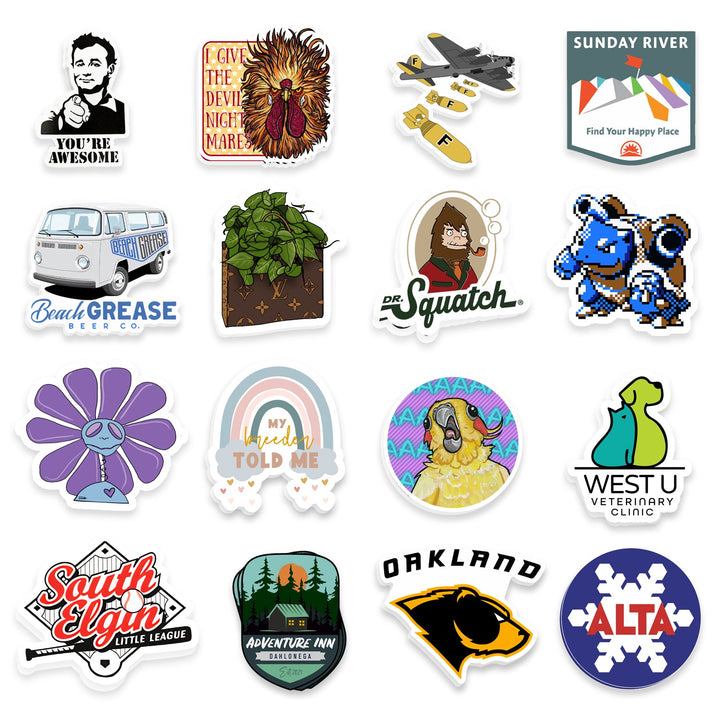
Once your artwork is finished, the easiest next step is to order custom die cut stickers. Die cut stickers are cut around the shape of your design, which makes them a good fit for logos, hand-drawn artwork, brand mascots, and most individual sticker designs.
If you are using Canva, Procreate, Photoshop, Illustrator, or Inkscape, you can upload your finished file and review a proof before printing. That proof helps confirm the size, border, cutline, and overall layout before your stickers are made.
For most first-time sticker projects, custom die cut stickers are the safest place to start. They look polished, work for a wide range of designs, and are easy to hand out, sell, or include in packaging.
Die Cut Stickers
$16.00
Description Custom Die Cut Stickers | Waterproof Die Cut Stickers Selecting a size for your custom stickers means you are selecting the dimension of the longest or widest part of your sticker. We'll scale the image to this size. If you… read more
Conclusion
What's the best software to use to create custom stickers? Use Canva for easy designs, Illustrator for professional vector files, Procreate for hand-drawn art, Photoshop for photo-based stickers, Inkscape for free vector work, and Affinity Designer for a capable middle ground.
The software matters, but the final sticker depends on more than the app. Use clean artwork, export a high-quality file, choose the right sticker format, and review the proof before printing.
FAQs
What's the Best Software To Use To Create Custom Stickers?
What's the best software to use to create custom stickers? Canva is best for beginners, Illustrator is best for professional vector files, Procreate is best for hand-drawn art, Photoshop is best for photo-based designs, and Inkscape is best for free vector design.
Can I Use Canva To Make Custom Stickers?
Yes. Canva is a good choice for simple sticker designs, especially logos, text stickers, event stickers, and packaging stickers. Just export the highest-quality file you can.
Do I Need Illustrator To Make Stickers?
No. Illustrator is excellent, but it is not required. Canva, Procreate, Photoshop, Inkscape, and Affinity Designer can all work.
Is Procreate Good For Sticker Design?
Yes. Procreate is great for illustrated stickers. Start with a large canvas and export a high-resolution transparent PNG when possible.
Can A Sticker Printer Help With My File?
Yes. A proofing printer can help prepare your file for production. You should still upload the cleanest version of your artwork and check the proof before printing.