
Table of Contents
- TLDR
- Why QR Code Stickers Work for Small Businesses
- 1. Send Customers Directly to Your Online Store
- 2. Ask for Reviews at the Right Moment
- 3. Make Reordering Easier
- 4. Link to Appointment or Booking Pages
- 5. Put Instructions on the Product
- 6. Build a Loyalty or Rewards Program
- 7. Share Menus, Price Lists, or Service Lists
- 8. Connect Packaging to Your Social Media
- 9. Use QR Codes at Markets, Pop-Ups, and Trade Shows
- 10. Add QR Codes to Storefronts and Service Vehicles
- 11. Link to Contact Information or a Quote Form
- 12. Turn Packaging Into a Post-Purchase Touchpoint
- What Should Your QR Code Actually Link To?
- How Big Should QR Code Stickers for Small Businesses Be?
- Leave Clear Space Around the Code
- Tell People Why They Should Scan
- Test Before You Order a Large Quantity
- Using QR Code Stickers With Product Packaging
- Stickers or Roll Labels?
- Ordering QR Code Stickers From CustomStickers.com
- Common QR Code Sticker Mistakes
- FAQs
QR code stickers for small businesses can turn almost any physical surface into a shortcut. Put one on a package, counter, product, window, thank-you card, or event display, and a customer can move from something they can touch to a specific page on their phone in a few seconds.
That is why QR code stickers for small businesses are so useful. They are inexpensive to place, easy to update as part of your printed materials, and flexible enough to work for retail stores, restaurants, service businesses, makers, contractors, salons, ecommerce brands, and event vendors.
The trick is not simply putting a QR code everywhere. The best QR code stickers for small businesses have one clear job. They send customers somewhere useful, appear where scanning makes sense, and give people a reason to take out their phone.
TLDR
QR code stickers for small businesses can link to reviews, online stores, booking pages, menus, loyalty programs, social profiles, instructions, and reorder pages.
Tell customers what the code does before they scan it.
Send the code to a specific mobile-friendly page instead of your homepage when possible.
Keep strong contrast and enough clear space around the QR code.
Test the printed sticker on several phones before putting it into regular use.
CustomStickers.com offers custom QR code stickers printed on laminated vinyl, with custom shapes, matte or gloss finishes, and online proofs.
Why QR Code Stickers Work for Small Businesses
Small businesses constantly move customers between the physical and digital parts of the business. A shopper sees a product but needs instructions. A restaurant customer wants the menu. A homeowner sees a contractor's truck and wants a quote. An ecommerce customer opens a package and wants to reorder.
QR code stickers for small businesses can shorten each of those steps.
Instead of asking someone to type a web address, search for your company, find the correct social account, or navigate through several pages, the sticker can send them directly where you want them to go.
That makes placement important. A QR code near a cash register can ask for a review. One on a product can open instructions. One on a shipping box can lead to a reorder page. QR code stickers for small businesses use the same basic technology, but the job changes with the location.
1. Send Customers Directly to Your Online Store
One of the simplest uses for QR code stickers for small businesses is linking physical customers to an online store.
A retail shop could put a QR code near the checkout with a message such as:
“Shop online anytime.”
A maker selling at a farmers market or craft show could add the same code to packaging so customers can order again after the event.
The important part is linking to the page that makes sense. If the goal is shopping, take the customer directly to the store or product collection rather than making them search through a general homepage.
2. Ask for Reviews at the Right Moment
Reviews are valuable to many local businesses, but customers often forget to leave them once they walk out the door.
QR code stickers for small businesses can remove some of that friction.
Place a review sticker on a receipt folder, takeout package, thank-you card, front counter, checkout display, or another spot customers see after the transaction.
For QR code stickers for small businesses, the wording should make the destination obvious:
“Happy with your order? Leave us a review.”
That is better than printing a QR code with no explanation.
Avoid putting the review request somewhere customers have to scan while they are still trying to pay, check out, or move through a line. Give the code a location where there is actually time to use it.
3. Make Reordering Easier
If customers regularly buy the same item, QR code stickers for small businesses can turn the package itself into a reorder button.
This works well for products such as:
coffee
candles
skincare
sauces
pet products
craft supplies
replacement parts
cleaning products
other repeat-purchase items
Instead of sending the customer to a general store page, link directly to the product or reorder page.
With QR code stickers for small businesses, a simple line like “Running low? Scan to reorder” explains exactly why the sticker is there.
For a small brand, this can be much easier for customers than filling the package with a long web address that they are unlikely to type manually.
4. Link to Appointment or Booking Pages
QR code stickers for small businesses are also useful when the main conversion is an appointment rather than a product sale.
Salons, barbers, photographers, cleaners, detailers, repair shops, tutors, trainers, consultants, and other service businesses can link directly to an online booking page.
Good placements for QR code stickers for small businesses include:
mirrors
front desks
appointment cards
service vehicles
product packaging
receipts
checkout counters
storefront windows
The call to action can stay simple:
“Book your next appointment.”
If customers already know why they are scanning, there is no need to cram the entire booking process onto the sticker.
5. Put Instructions on the Product
Some products need more explanation than will comfortably fit on the packaging.
QR code stickers for small businesses can link customers to a setup guide, care instructions, assembly video, troubleshooting page, recipe, sizing guide, or FAQ.
This is especially useful when instructions change over time or when video explains the process better than a small printed card.
A furniture maker might link to assembly instructions. A candle company could link to a candle-care page. A food product could link to recipes. A 3D-printed product could link to assembly or usage instructions.
Use a clear phrase such as “Scan for setup instructions” so QR code stickers for small businesses have an obvious purpose.
6. Build a Loyalty or Rewards Program
If your loyalty program lives online, QR code stickers for small businesses can give customers an easy entry point.
Put the code near checkout, on packaging, or on a counter sign with a short message:
“Join our rewards program.”
QR code stickers for small businesses should open directly to the signup or loyalty page when loyalty enrollment is the goal.
Do not make someone scan a code and then hunt through your website to find the program you just advertised.
This approach can work for coffee shops, restaurants, salons, retailers, bakeries, boutiques, and other businesses with repeat customers.
7. Share Menus, Price Lists, or Service Lists
Restaurants are the obvious example, but QR code stickers for small businesses can link to any information that changes often.
A salon can link to current services. A contractor can show service areas. A repair shop can show common services. A food truck can link to a menu. An event vendor can show packages and pricing.
QR code stickers for small businesses can reduce the amount of information you need to print directly on packaging or signs.
The sticker can simply say:
“Scan for current menu.”
“View services and pricing.”
“See available options.”
If prices or offerings change often, consider using a QR setup that allows the destination to be changed without replacing the printed code. Check the features of your QR code provider before printing, since static and redirect-based QR systems can work differently.
8. Connect Packaging to Your Social Media
QR code stickers for small businesses can also send customers to Instagram, TikTok, YouTube, or another social profile.
Social QR code stickers for small businesses work best when there is a reason to follow.
For example:
“See how it’s made.”
“Share your setup.”
“Follow for new drops.”
“See more projects.”
Putting several social media icons and usernames on a tiny package can get cluttered quickly. One clearly labeled QR code can keep the design cleaner.
Still, do not assume customers automatically want social media. If reordering, instructions, or support would be more useful, prioritize those actions first.
9. Use QR Codes at Markets, Pop-Ups, and Trade Shows
Temporary events are a natural fit for QR code stickers for small businesses.
At a booth, table, tent, or display, a QR sticker can connect visitors to:
your online store
an email signup
a giveaway entry
an event-only offer
your portfolio
contact information
a wholesale form
a product catalog
You can put the same sticker on a sign, display stand, sample package, giveaway, or takeaway card.
The main rule for QR code stickers for small businesses at events is visibility.
A tiny one-inch QR code at the back of a crowded trade-show booth is not helping anyone. If people will scan from farther away, make the code and the surrounding sticker larger.
10. Add QR Codes to Storefronts and Service Vehicles
A business is not always open when someone notices it.
QR code stickers for small businesses can give potential customers a next step after hours.
A storefront window might say:
“Closed? Shop online.”
A contractor's vehicle might say:
“Scan for a quote.”
A mobile detailing van could link to booking. A landscaper could link to a project gallery. A repair company could send people to a service request form.
Outdoor QR code stickers for small businesses also need appropriate material and laminate protection.
CustomStickers.com prints its dedicated QR Code Stickers on full-color white vinyl with a laminate coating. The product is designed to resist scratches, water, and sunlight, making the material useful when a sticker needs more durability than an uncoated paper label.
11. Link to Contact Information or a Quote Form
Sometimes the best QR code stickers for small businesses do not need a clever campaign. They just need to make contacting the company easier.
A code can link to:
a contact page
quote request
email form
phone information
digital business card
wholesale inquiry
consultation request
This is useful on vehicles, equipment cases, brochures, folders, product samples, trade-show materials, and storefront displays.
When planning QR code stickers for small businesses, think about what the customer is likely to want at that exact moment.
A person looking at a contractor's trailer probably wants examples of work or a quote, not the company blog.
12. Turn Packaging Into a Post-Purchase Touchpoint
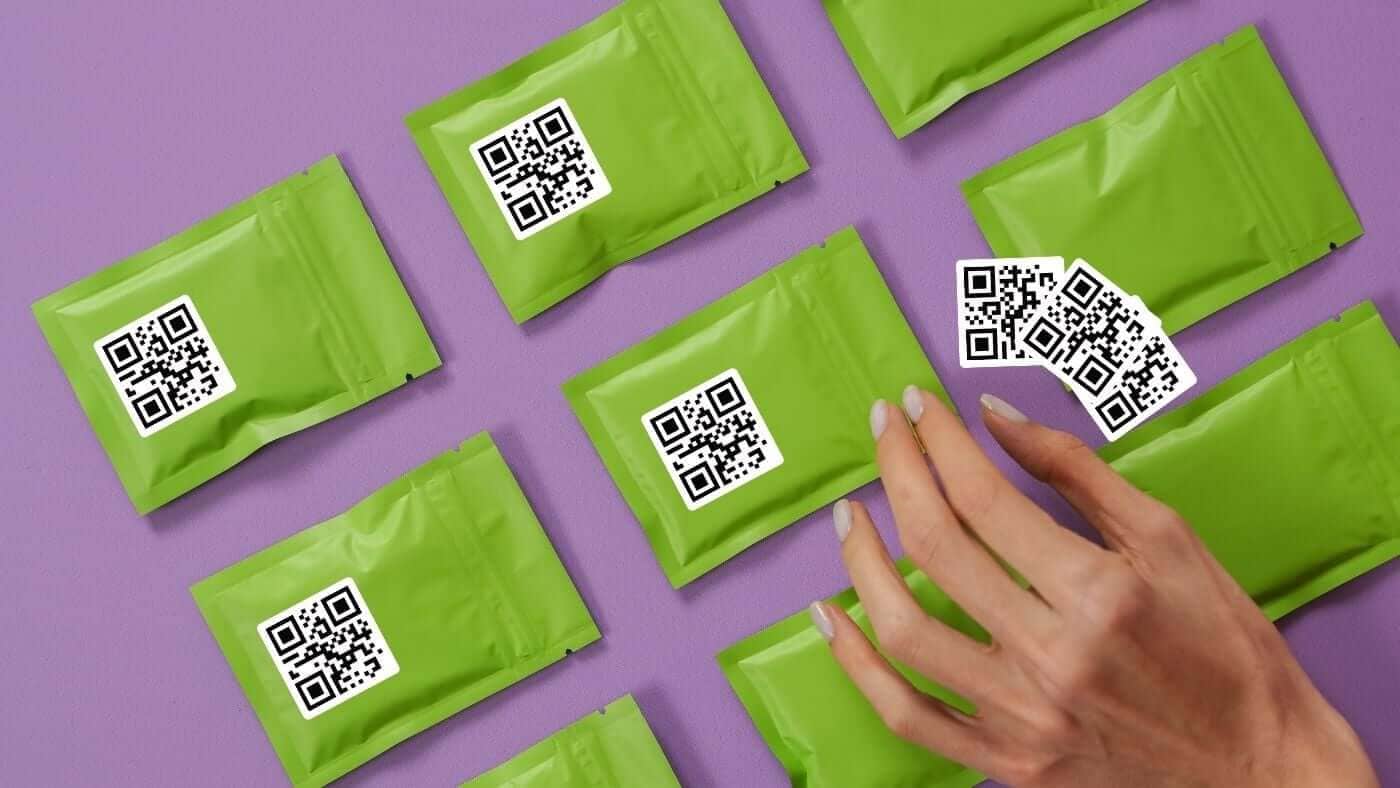
Packaging is one of the best places for QR code stickers for small businesses because the customer has already bought something.
That creates several useful options.
The sticker could say:
“Scan for instructions.”
“Order another.”
“Leave a review.”
“Join rewards.”
“See other colors.”
“Watch the setup video.”
QR codes on packaging can be used to move buyers to review pages, tutorials, discounts, and other useful post-purchase destinations.
Do not ask the customer to do everything at once. One QR code with one useful next step is usually stronger than a label containing five calls to action.
What Should Your QR Code Actually Link To?
For QR code stickers for small businesses, the destination matters more than the novelty of the code.
Before ordering QR code stickers for small businesses, finish this sentence:
“When the customer scans this sticker, I want them to ______.”
If the answer is vague, the sticker probably needs a clearer purpose.
Here is a useful way to match location with destination:
| Sticker Location | Good QR Destination |
|---|---|
| Product packaging | Reorder page or instructions |
| Checkout counter | Loyalty signup or review page |
| Storefront window | Online shop or booking |
| Service vehicle | Quote request or portfolio |
| Event booth | Store, signup, or contact page |
| Thank-you card | Review or reorder page |
| Equipment or product | Setup and support |
| Restaurant table | Menu or ordering page |
QR code stickers for small businesses work best when the digital destination feels like the natural next step from the physical location.
How Big Should QR Code Stickers for Small Businesses Be?
There is no single ideal size because scanning distance matters.
CustomStickers.com notes that the smallest readable QR code it can print is 0.5 inch, but also warns that a QR code that small may not work with every phone. In practical use, that is a good reason not to treat the technical minimum as the ideal size.
For QR code stickers for small businesses that people will scan at close range, give the code comfortable size whenever the design allows it.
If the sticker will be viewed from farther away, increase the size substantially.
The CustomStickers.com QR code printing guide uses a roughly 10:1 relationship between viewing distance and QR code size as a useful starting point.
And always test the finished design before using it widely.
Leave Clear Space Around the Code
QR code stickers for small businesses should not bury the code inside a busy design.
QR codes require a clear margin around the symbol called the quiet zone. DENSO WAVE, which developed the QR Code system, specifies a quiet zone four modules wide on each side of a standard QR Code.
For QR code stickers for small businesses, this means resisting the temptation to push logos, text, borders, or illustrations directly against the QR pattern.
Good contrast matters too. A dark QR pattern against a light background is the safest starting point.
You can still make the rest of the sticker fit your brand. Just let the functional part stay functional.
Tell People Why They Should Scan
One of the easiest QR code sticker mistakes is printing a code with no context.
A customer sees a square.
Now what?
QR code stickers for small businesses should include a short call to action when the purpose is not immediately obvious.
Compare:
“Scan Me”
with:
“Scan to Reorder”
“Scan for Instructions”
“Scan to Book”
“Leave a Review”
“View the Menu”
“Get 10% Off Your Next Order”
The second group tells the customer what happens after the scan.
That small piece of text can be as important as the QR code itself.
Test Before You Order a Large Quantity
This is the step worth being slightly obsessive about.
Before putting QR code stickers for small businesses onto hundreds of packages, scan the final printed version.
Try:
multiple phones
normal indoor lighting
brighter lighting
the actual scanning distance
the actual surface where the sticker will live
the final URL
the complete customer journey after the scan
Make sure the page loads correctly on a phone.
A QR code that technically scans but opens a desktop-only form with microscopic text is not finished.
Also check the destination one last time before production. A beautifully printed QR code that reliably sends customers to the wrong page is still a bad sticker.
Using QR Code Stickers With Product Packaging
Packaging is one of the most natural applications for QR code stickers for small businesses.
A small ecommerce company may not have enough space on its package for instructions, reviews, social links, a loyalty offer, a reorder message, and a full brand story.
It probably should not try.
Use the physical package for the information customers need immediately. Use a QR code to connect them to information that makes more sense online.
For example, a candle label could contain the scent and required product information while a QR sticker links to candle care.
A coffee bag could have its normal product label while a QR code links directly to the reorder page.
A handmade item could include a QR code that opens care instructions.
This keeps the package cleaner while still giving customers access to more information when they want it.
Stickers or Roll Labels?
The right format depends on how you will apply them.
Individual custom QR code stickers can make sense for:
storefronts
vehicles
equipment
event displays
promotional handouts
signs
lower-volume applications
Roll labels can make more sense when you are placing the same QR design onto hundreds or thousands of packages.
CustomStickers.com offers custom roll labels in multiple shapes and materials, including laminated waterproof BOPP options. Roll labels are designed for easier repeated application and can be used for product packaging, jars, bottles, boxes, and bags.
Clear roll labels are another option when you want the packaging underneath the sticker to remain visible. CustomStickers.com offers clear labels with custom sizing and custom-shaped cutting.
Ordering QR Code Stickers From CustomStickers.com
CustomStickers.com has a dedicated QR Code Stickers product for businesses and other uses.
The stickers are printed in full color on white vinyl and include laminate protection. Current options include matte or gloss finishes, several sticker sizes, and custom-shaped designs.
You can upload the QR code as part of your artwork and add your business name, logo, instructions, colors, or other design elements around it.
CustomStickers.com also provides an online proof so you can see how the design will be printed and cut before production.
That proof is a good time to check:
QR code size
quiet zone
spelling
URL destination
call to action
overall sticker size
cut shape
readability
For businesses applying QR codes to larger quantities of products or packaging, CustomStickers.com also offers roll labels in custom shapes and multiple material types.
Common QR Code Sticker Mistakes
QR code stickers for small businesses are simple, but a few mistakes can make them much less useful.
No explanation. A random QR code does not tell the customer why they should scan it.
Too small. A code can technically be printable and still be inconvenient to scan.
Poor contrast. Decorative colors should not make the code difficult for a phone to read.
No quiet zone. Keep artwork away from the required clear area around the code.
Wrong destination. Send customers directly to the page that matches the sticker.
Desktop-only pages. Most customers will scan with a phone, so the destination needs to work well on a small screen.
Never testing the printed version. Test the actual sticker, not just the QR file on your monitor.
Trying to do too much. One useful action is easier to understand than a sticker asking for a review, follow, purchase, signup, referral, and survey all at once.
FAQs
Are QR code stickers good for small businesses?
Yes. QR code stickers for small businesses are particularly useful when you need to connect a physical location, product, package, display, or vehicle to an online action without printing a long URL.
What can a small business put on a QR code?
A QR code can lead to an online store, product page, booking system, menu, review page, loyalty signup, instructions, social profile, contact form, or another useful web destination.
Where should I put QR code stickers?
Place them where the action makes sense. Packaging is good for reorders and instructions. Counters are useful for reviews or loyalty programs. Windows and vehicles work well for shopping, booking, and quote requests.
How small can a QR code sticker be?
CustomStickers.com can print a QR code as small as 0.5 inch but notes that this minimum may not work reliably with every phone. A larger QR code gives you more room for reliable real-world scanning.